The First
G-Calendar
Connected
Ready-to-Sell Digital Planner
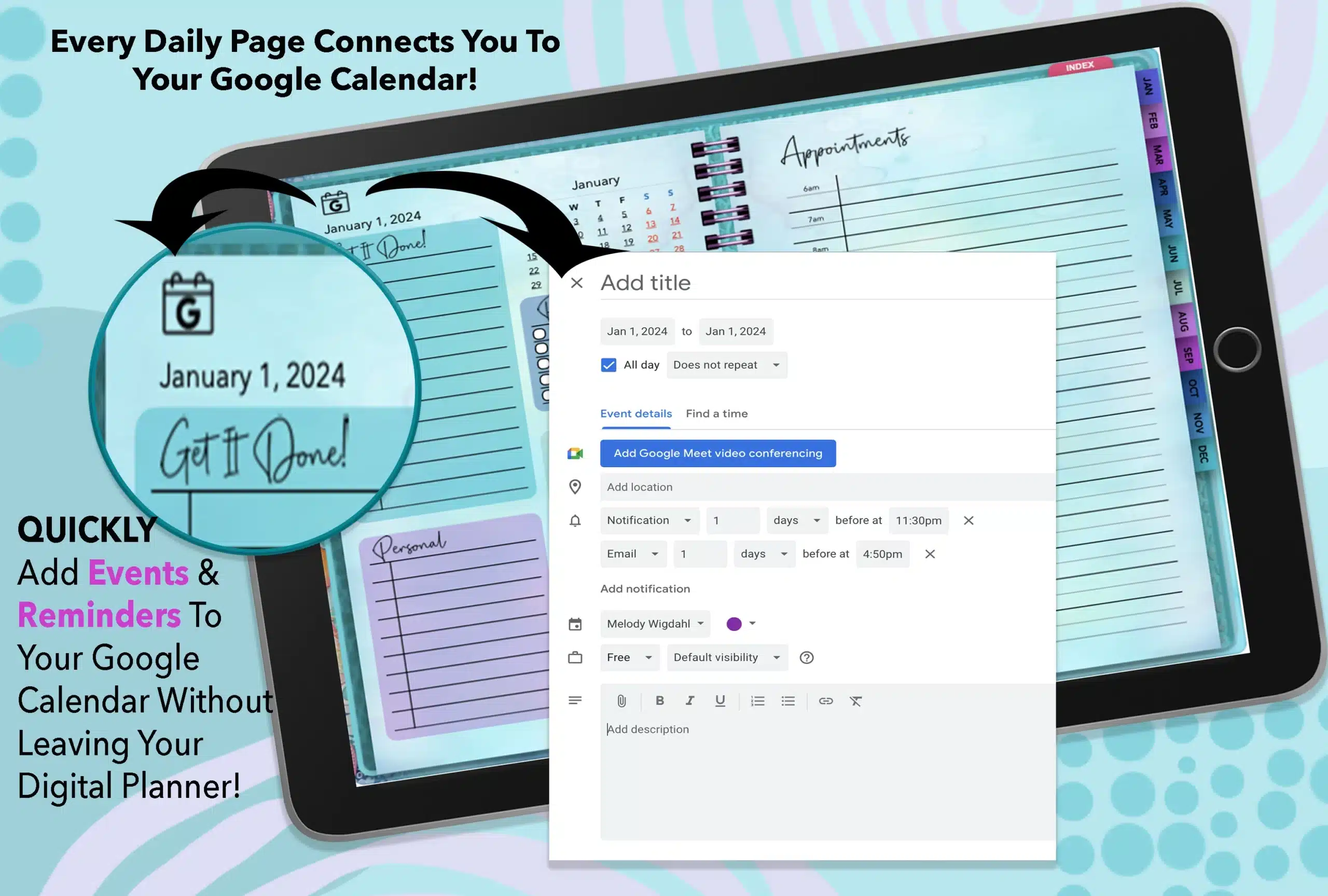
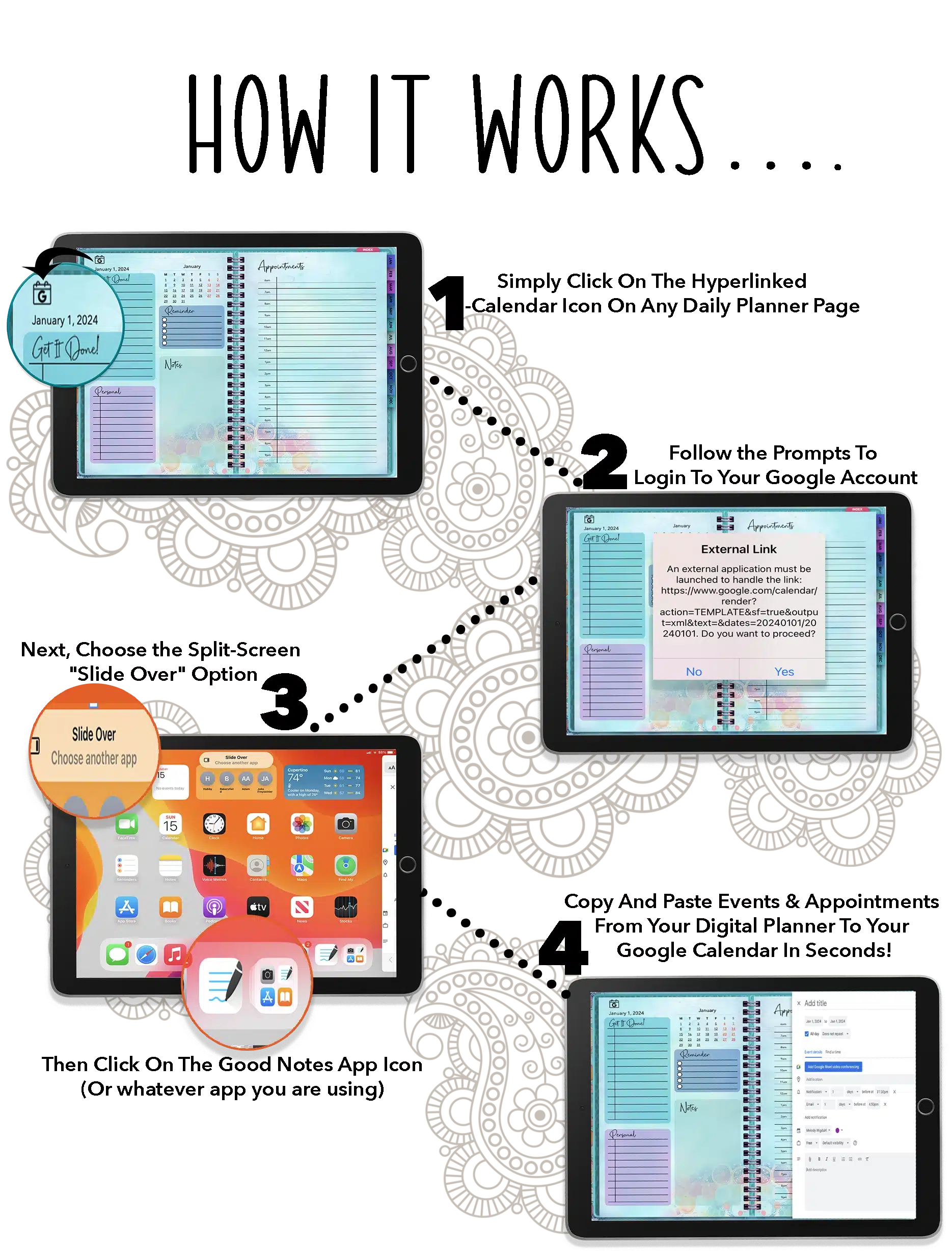
- Simply Click On The G-Calendar Icon On Any Daily Planner Page And Instantly Be Connected To Your Google Calendar!
- Copy And Paste Events & Appointments From Your Digital Planner To Your Google Calendar In Seconds!
- You Can Even Create Reminders In Your Google Calendar To Be Notified Of Upcoming Events!
The FIRST Google Calendar "Connected" Digital Planner with
FULL UNRESTRICTED PRIVATE LABEL RIGHTS:
• Sell As Your Own Product
• Set Your Own Price
• Edit & Customize As You Please
• Give Away To Build Your List!
• Set Your Own Price
• Edit & Customize As You Please
• Give Away To Build Your List!


All New & Original Graphics!
Use These For ANY Project
Or Client Work
- AI-Assisted but Human Upscaled to 300 DPI Print Quality!
- Completely Designed In-House
- 20 Unique "Floral Fantasy" Covers
- 5 Interiors
- BONUS: 4 "Desktop" Backgrounds for Digital Planners + 4 Interior Covers - Just like a REAL Planner! (not shown)
- Full Commercial Use Rights for all Graphics & Planners!
Ready-To-Sell!
- Beautiful Color Coordinated Interiors For Each Planner!
- Easy to Edit and Change Colors of Tabs & Backgrounds
- Full-Page Hyperlinked Calendar for Each Month
- Mini-Hyperlinked Calendar for Each Month -
EVERY Day is Linked To Its Planner Page! - Main Index Template Links to Each Month
- Monthly Index Templates links To Each Section of The Month

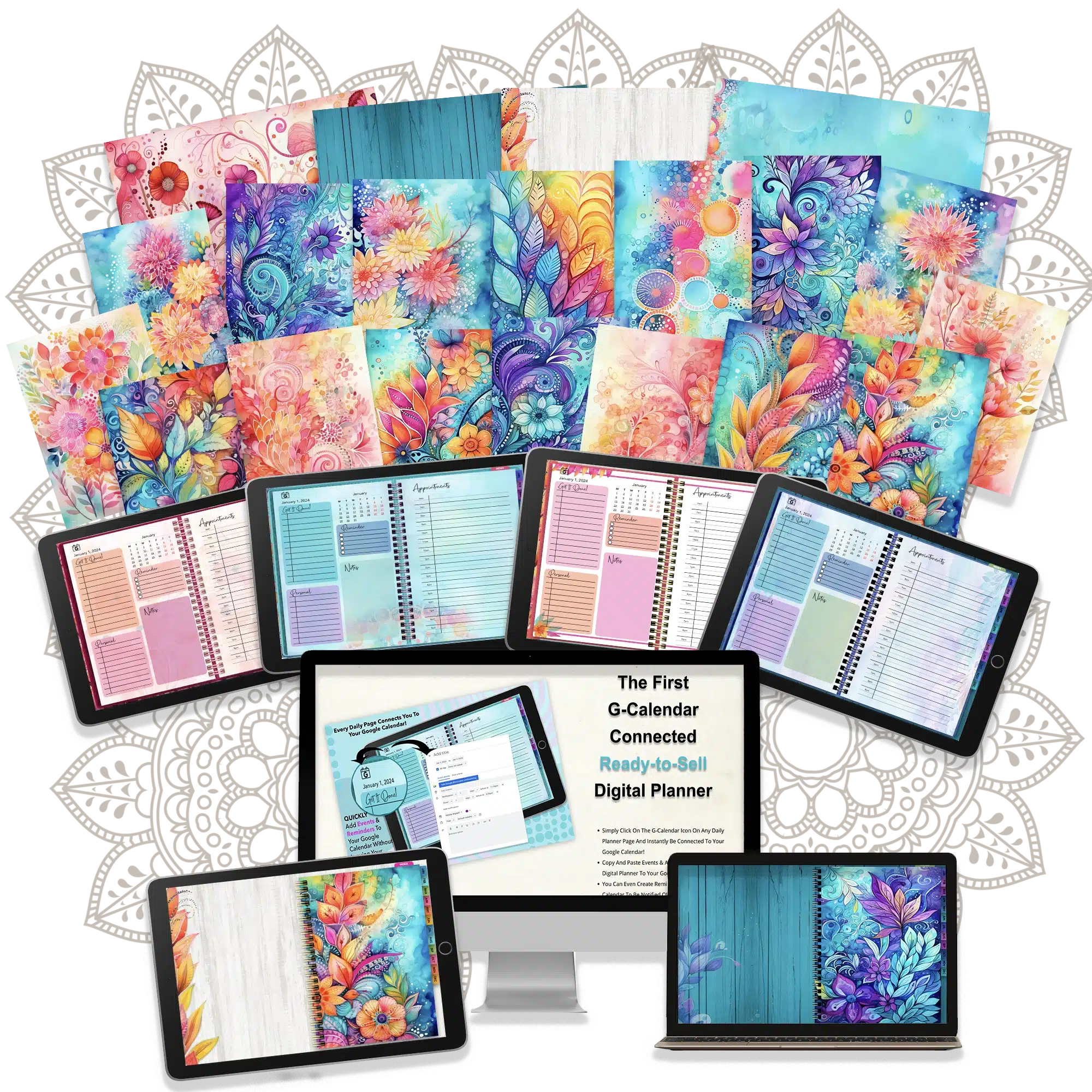
This Is What You Are Getting Today:
Everything Shown Above
With FULL Commercial Use/
Master Resell Rights
• Four Ready-To-Sell
Fully Dated 2024 Planners!
• Hyper-Linked to G-Calendar To Easily
Coordinate Events and Set up Reminders !!
• Digital Planner is fully hyperlinked - more than 15,000 Links
PLUS 365 Direct Links to Google Calendar!!!
• 4 Color Coordinated Interior Sets
• 20 Gorgeous Original Covers + 4 Interiors +
4 Desktop Backgrounds + 4 Interior Covers
• Delivered in Keynote, Powerpoint & PDF Formats
• FULL Commercial Use Rights -
You can edit as you please, sell as your own or
give away to build your list!
• Pass PLR to your Customers!
PLUS BONUSES:
• Customization Workshop Replay ($27 Value)
• Word Art Kit ($20 Value)
Dime sale pricing - price increases with every sale!
$23!!



Private Label Rights
You May:
• Sell the end product/s for any price or give away the compiled
PDF for free to build your list
• Edit/change as you want to create your own products
You May NOT:
• Claim copyright to these images or templates
• Use our name on the product
• Give away the source files for free (Keynote and/or PowerPoint files)
Frequently Asked Questions:
1. Is this planner actually integrated into the Google Calendar app? If I update one will they both be updated?
No, unfortunately, there is no way to do that at this time. While the link from the Digital Planner provides a shortcut for you to copy an event from your Digital Planner
into your Google Calendar, and to quickly set up reminders/alerts without having to close out one app, and open your calendar...there is still a manual step involved!
But this is still much faster than doing it without the hyperlink shortcut!
2. Can these be used on their own or is GoodNotes or another app needed?
Digital planners are designed to be used with Annotation/Note Taking apps such as GoodNOtes, Notability and many, many others. The planner can be used on a laptop or desktop computer but will not have all of the functionality that the apps provide. However, you can still connect to Google Calendar from your desktop or laptop using the Digital Planner. The app is NOT included with this package.
2. What if I have questions or need advice on implementing this package?
Reach out to us at [email protected] - you can reach out anytime! The link to our contact page is also on the footer of this page.
3. What format is this delivered in?
The digital planners are delivered in Keynote (can be edited with Keynote for Mac), Powerpoint and PDF. We design with the latest versions
of all software, so we cannot guarantee compatibility with older versions. We recommend keeping your Digital Planner edits to a minimum if you not experienced with
these programs as there are extensive link structures in the Digital Planners! These are literally designed for you to sell "out of the box" with very minimal changes!!
Please note that the Digital Planner templates are designed for web/ipad/notebook use, not print on demand!!
Please note: Hyperlinks may not export correctly if the planner is edited in PowerPoint for Mac, iCloud Keynote, or Canva as these programs do have limitations. It is best to
use the software that is native to your operating system.
4. Are there any upsells?
No, everything is on this page!
5. How much money will I make with this?
Sorry, but we can't promise you anything! We can give you the tools to get started but as with any business, you still need to do the work! We make no guarantees or
promises as to how much you will make!
6. Do you offer a refund if I don't like this?
Sorry but this is a digital product therefore, there are no refunds.